For most of the last fifty years, one Melbourne manufacturer tracked its work the same way: a worker wrote start and finish times on a paper card, the card went to the office, and someone typed it all into a spreadsheet. It worked, in the way paper always works — right up until you want to know something. How many hours are on that job so far? Which builds are running over? Who's still clocked on? For any of those, the honest answer was 'give me until end of day.'
They build refrigerated trailers. Thirty-odd people on the workshop floor, a handful in the office. The floor was never the problem — the floor was excellent at building trailers. The problem was that everything those people did turned into a pile of paper that only became useful after it had been re-typed, a day late, into a sheet nobody fully trusted.
They didn't want a transformation. They wanted the paper gone.
I took it on as a fixed-price build with a tight scope and about four weeks to ship. I prefer working this way — I'd rather agree exactly what 'done' looks like up front than sell someone an open-ended project and a monthly invoice. Four weeks isn't a lot of time. It's enough if you're ruthless about what goes in.
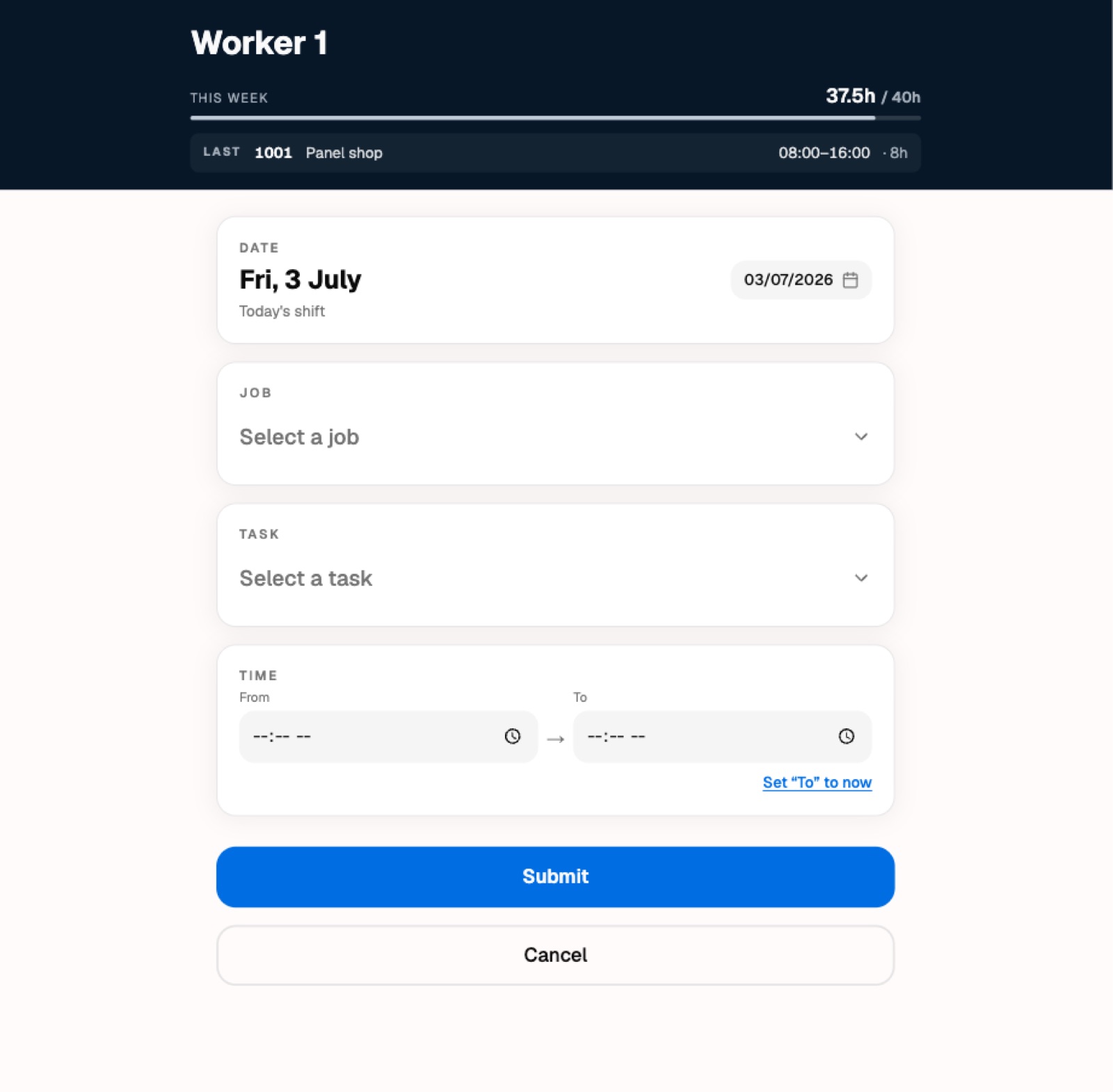
What I built was really two things running as one system. The first lives on the workshop wall: tablets, mounted where people already walk past. A worker taps their name, taps in a short PIN, picks the job and the task they were on, enters their hours, and walks away. No accounts to remember, no app to install, no keyboard gymnastics. The whole thing is meant to take about fifteen seconds with work gloves on.
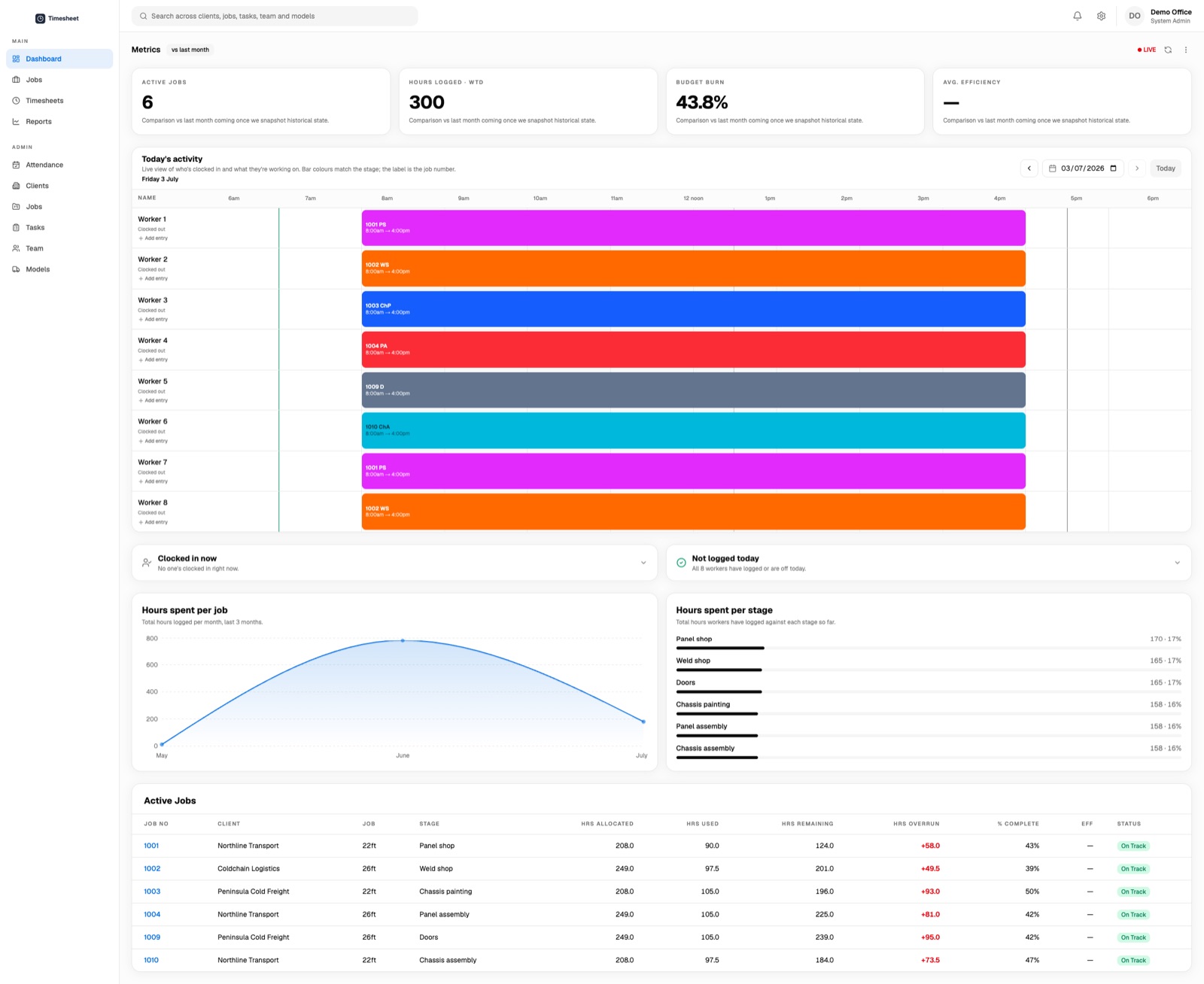
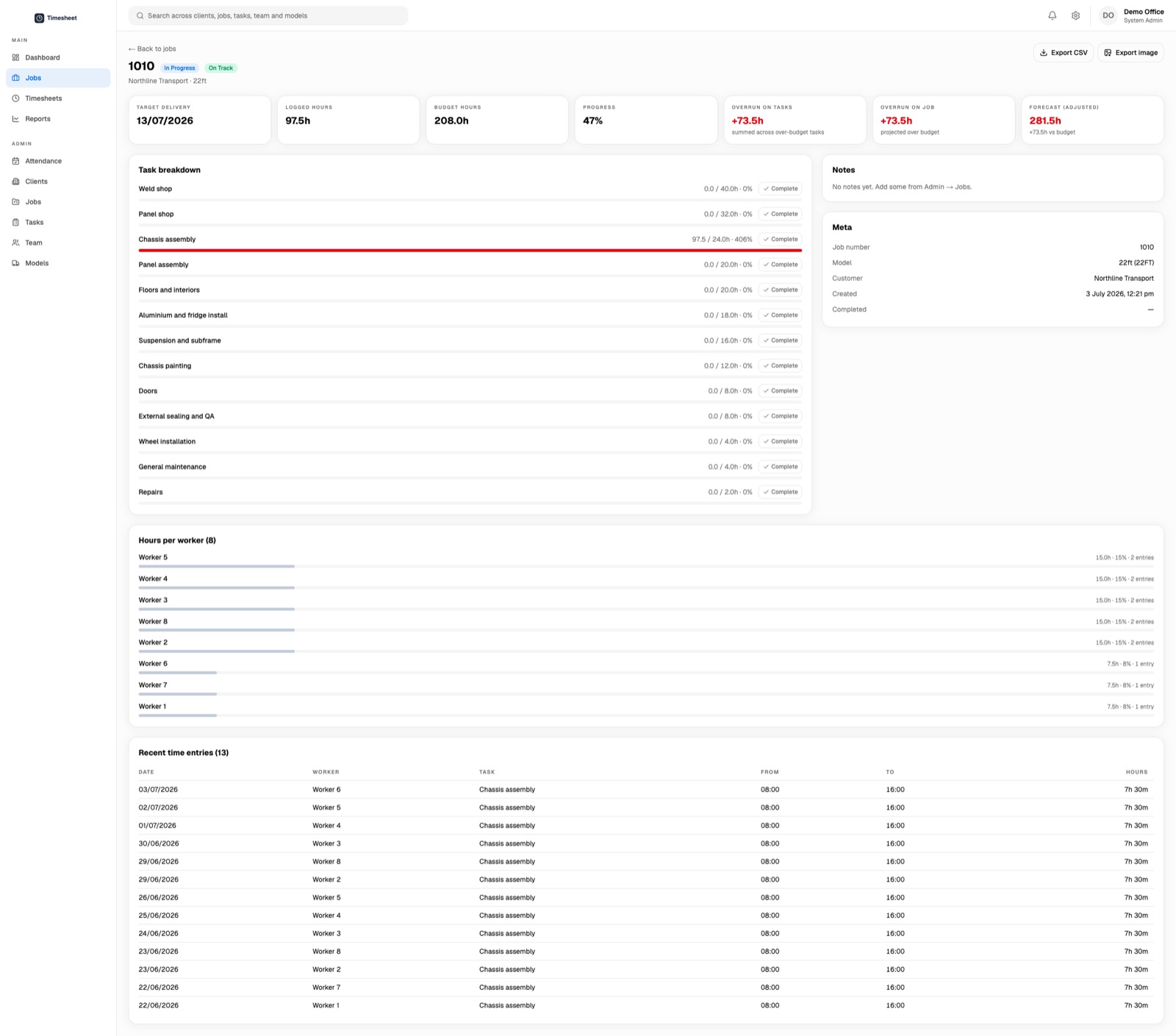
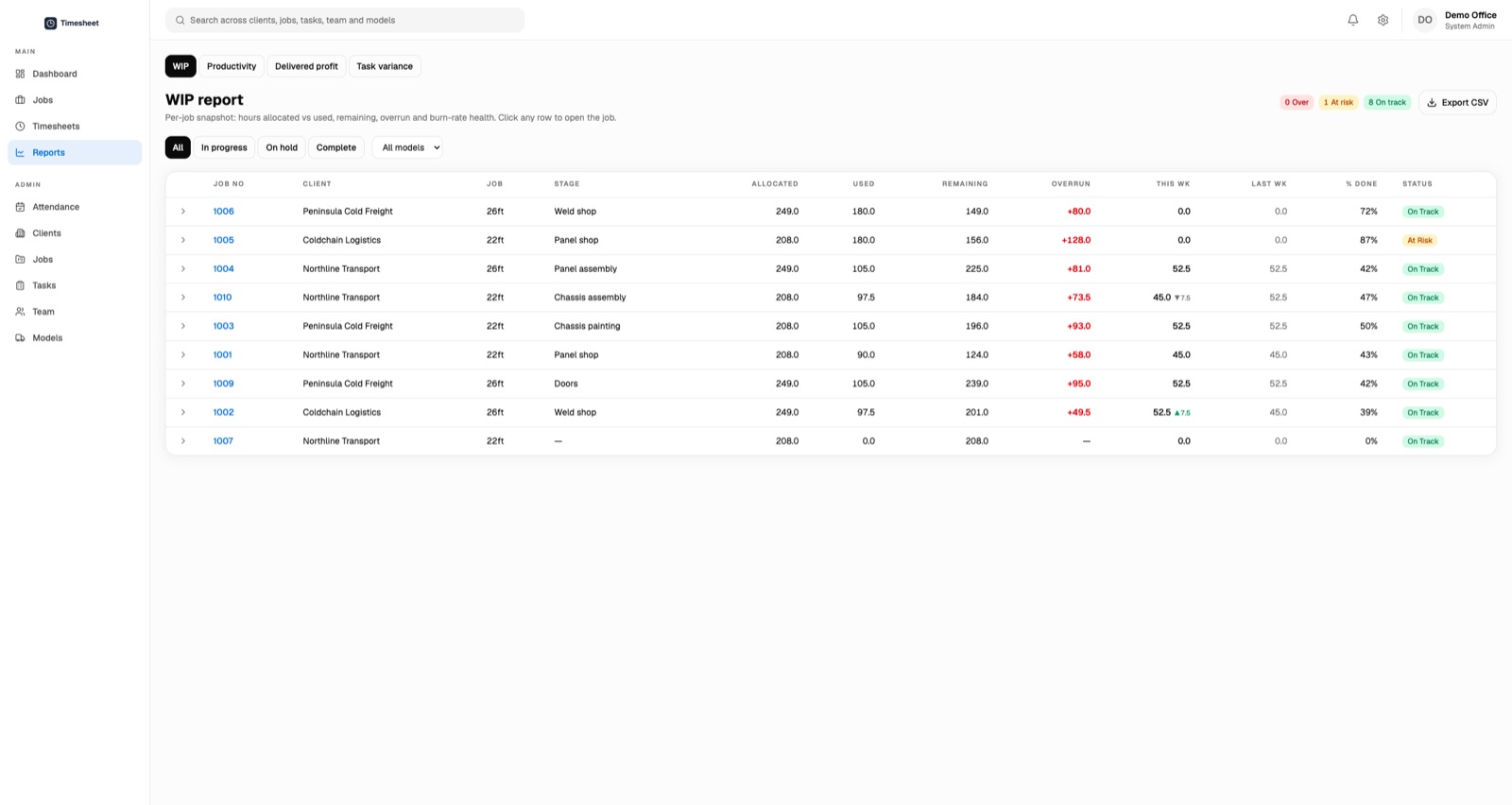
The second lives in the office: a live dashboard. The moment someone logs time on the floor, the office can see it — hours against each job, which builds are tracking over their estimate, who's clocked on today, where every job sits against the hours it was quoted. The spreadsheet-and-a-day-of-delay became a screen that's simply current. There are the boring-but-essential bits too: automated reminders so the office isn't chasing people, exports so the numbers can leave the building, and a way to fix an honest mistake without a paper trail.
None of it is clever. There's no AI in this build; nobody on the floor asked for any. It's a well-made tool for a specific job — and that turns out to be the whole point.
Because writing software that saves a time entry is easy. Writing software that a person in a loud workshop, wearing gloves, at the end of a long shift, will actually use — every day, without being nagged — is a different discipline entirely.
So most of the real work went into things that don't demo well. Making the buttons big enough. Making the flow forgiving when someone taps the wrong thing. Making it keep working when the Wi-Fi drops, because in a metal shed it will. Getting the timezone right so the day starts and ends when Melbourne says it does, not when a server in another country does. Taking the lunch break out automatically so nobody has to remember. Making sure that when several tablets are in use at once, they never step on each other.
A floor that has run on paper for five decades doesn't owe your software any trust. You earn it by being boringly reliable, and you lose it the first time the thing eats someone's hours. I spent far more time on 'what happens when this goes wrong' than on any single feature.
The four weeks got us to a working system. That's the start, not the finish. The most useful stretch came after go-live, once real people were using it in the real building.
That's when you learn that the office needs to add a shift for someone who forgot to clock in. That a worker wants to log one task, then another, without walking back to their name. That 'set my finish time to now' should be one tap, not a fiddle. That the most important button on a form is sometimes the one that says Cancel — the one that lets you back out when you change your mind.
None of those were in the original scope. All of them mattered. A fixed-price, tightly-scoped build isn't a way to avoid change — it's a way to make the first version small enough that you reach the real feedback quickly, then keep sharpening the parts people actually touch.
The visible win is that the paper is gone and the office has a live picture instead of a day-old one. The quieter win is trust: the numbers are current, so people believe them, so they get used to make decisions instead of sitting in a drawer.
I don't think this project is remarkable because of the technology. I think it's a good example of the kind of work that's easy to underrate — an unglamorous internal tool, scoped tightly, built to be reliable, shipped in weeks rather than quarters. Most businesses have a version of the paper time card somewhere. It's rarely the exciting problem. It's often the one worth fixing first.