For most of the last fifty years, one Geelong manufacturer tracked its work the same way. A worker wrote their start and finish times on a paper card, the card went up to the office, and someone typed the lot into a spreadsheet. It worked the way paper always works, which is fine until you want to know something. How many hours are on that job so far? Which builds are running over? Who's still clocked on? The honest answer to any of those was give me until end of day.
Thirty or so people on the workshop floor and a handful in the office. The floor was never the problem. The floor was very good at building what it builds. The problem was that everything those people did turned into a pile of paper that only became useful after someone had re-typed it a day later into a sheet nobody entirely trusted.
They weren't after a transformation. They wanted the paper gone.
I took it on as a fixed-price build with a tight scope and about four weeks to ship it. I prefer working this way. I'd rather agree exactly what finished looks like up front than sell someone an open-ended project and a monthly invoice. Four weeks isn't long, but it's enough if you're strict about what goes in.
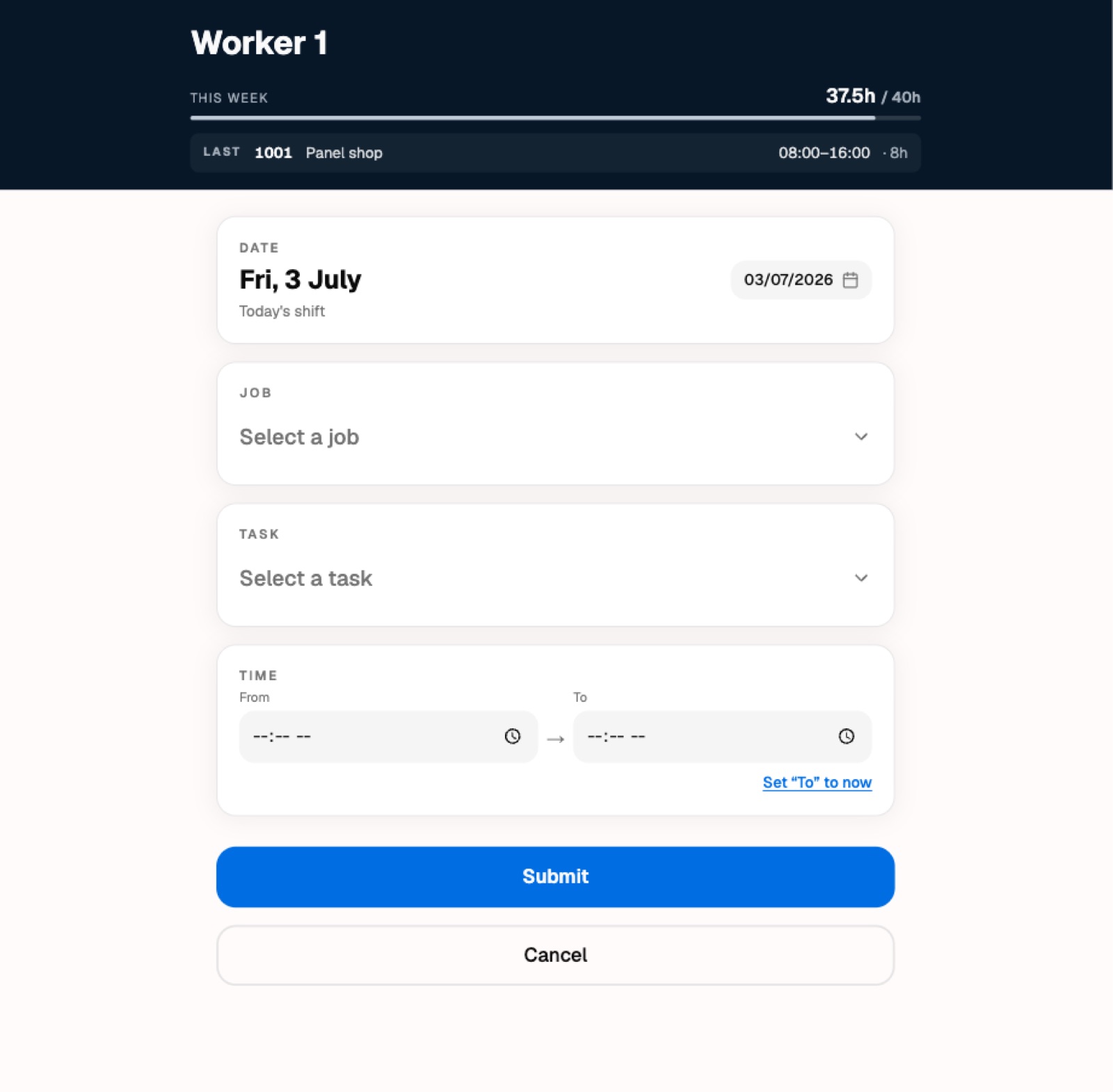
What I built was two things running as one system. The first sits on the workshop wall. Tablets, mounted where people already walk past. You tap your name, tap in a short PIN, pick the job and the task you were on, enter your hours, and walk off. No accounts to remember, no app to install, no fiddly typing. The whole thing is meant to take about fifteen seconds with work gloves on.
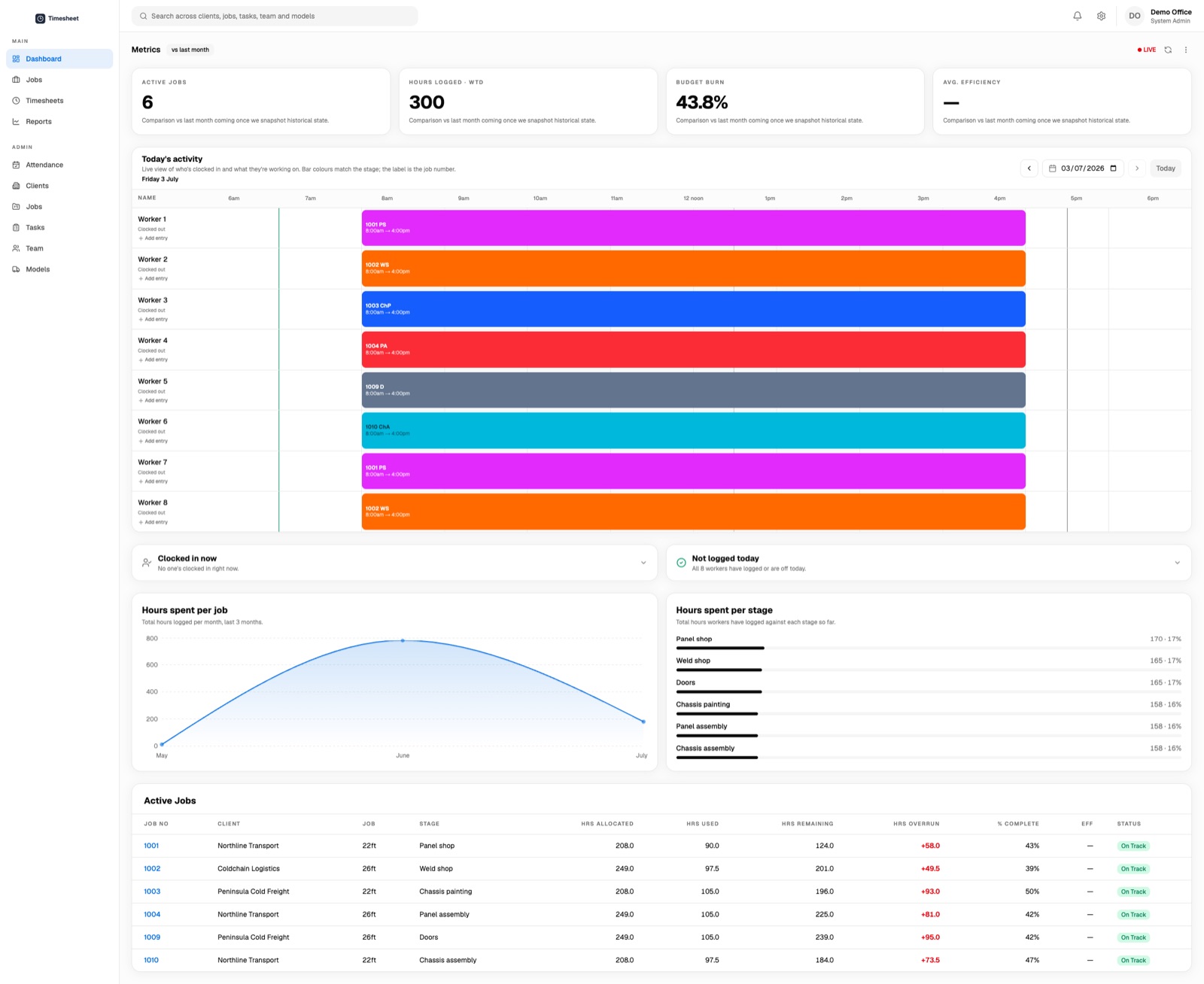
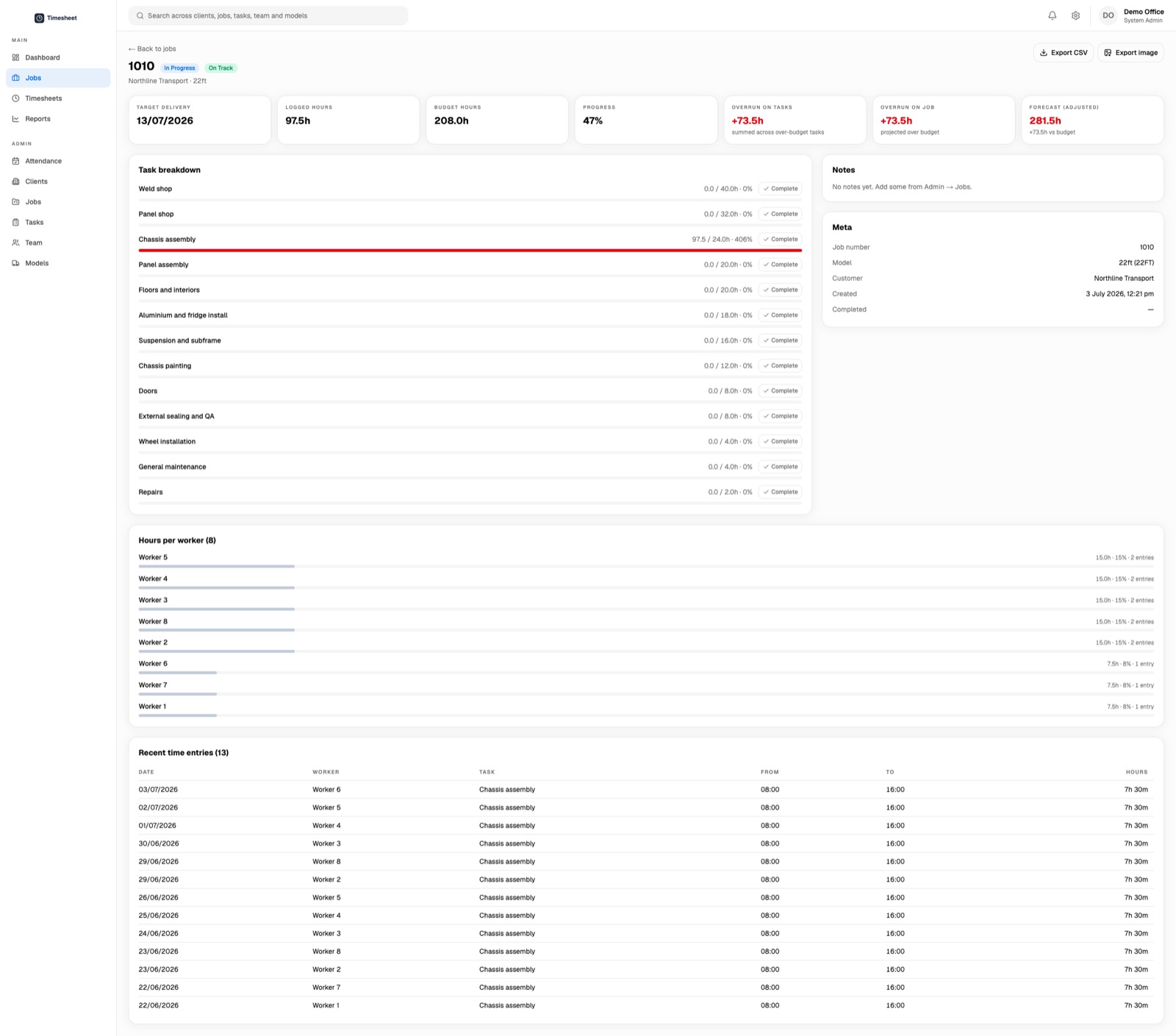
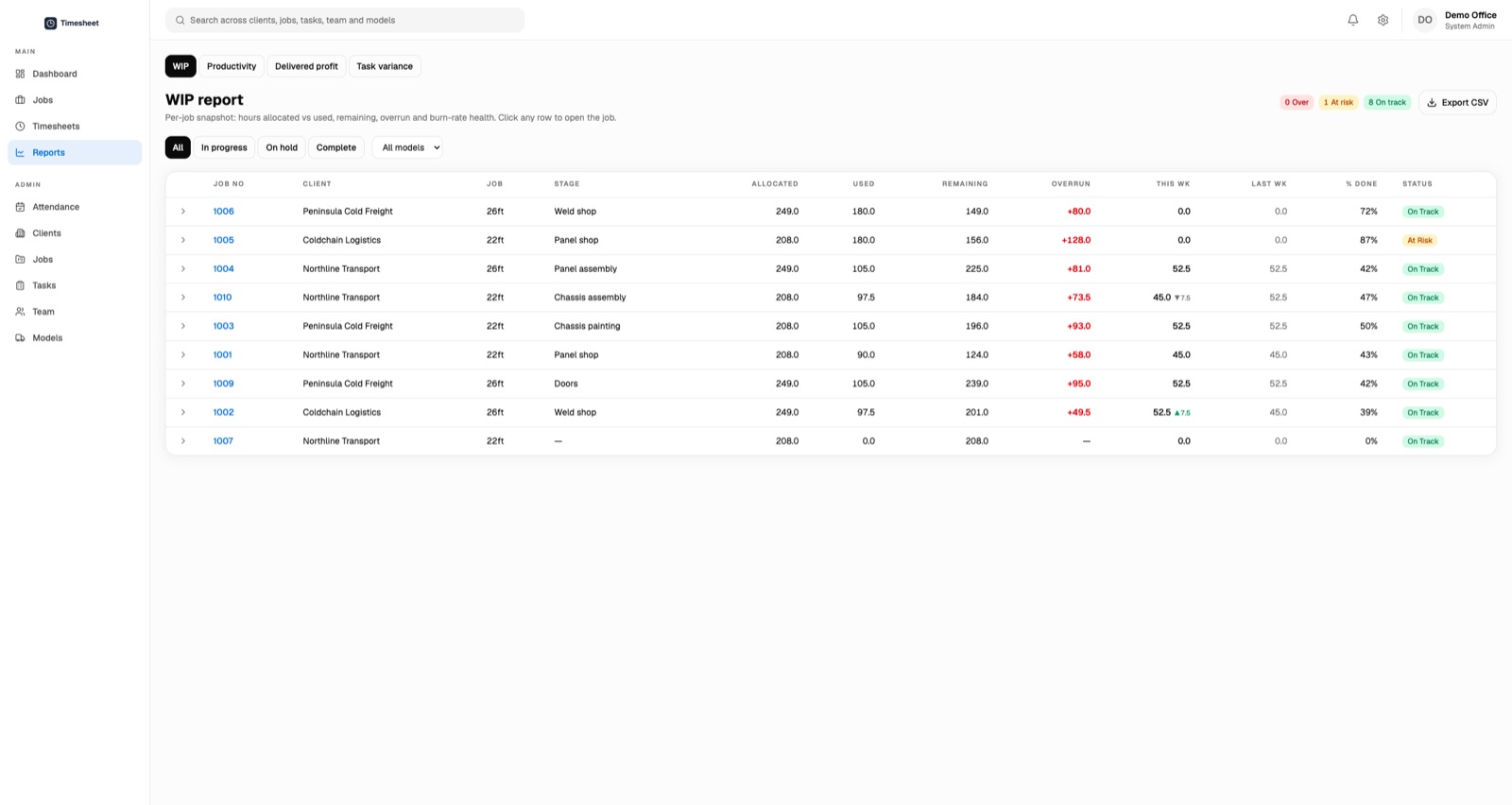
The second sits in the office. The moment someone logs time on the floor, the office can see it. Hours against each job, which builds are tracking over their estimate, who's clocked on today, where every job sits against the hours it was quoted at. The spreadsheet and its day of delay became a screen that's just current. There's the unexciting but necessary stuff around it too, like automated reminders so the office isn't chasing people, exports so the numbers can leave the building, and a way to fix an honest mistake without needing a paper trail.
None of it is clever. There's no AI in this build and nobody on the floor asked for any. It's a well-made tool for a specific job, and that turns out to be the whole point.
Writing software that saves a time entry is easy. Writing software that a person in a loud workshop, wearing gloves, at the end of a long shift, will actually use every day without being nagged about it is a different job entirely.
So most of the real work went into things that don't demo well. Making the buttons big enough. Making the flow forgiving when someone taps the wrong thing. Keeping it working when the Wi-Fi drops, because in a metal shed it will. Getting the timezone right so the day starts and ends when Melbourne says it does rather than when a server somewhere else does. Taking the lunch break out automatically so nobody has to remember to. Making sure several tablets in use at once never step on each other.
A floor that's run on paper for five decades doesn't owe your software any trust. You earn that by being reliably boring, and you lose it the first time the thing eats someone's hours. I spent far more time on what happens when this goes wrong than on any individual feature.
The four weeks got us to a working system, which is the start rather than the finish. The most useful stretch came after go-live, once real people were using it in the real building.
That's when you find out that the office needs to add a shift for someone who forgot to clock in. That a worker wants to log one task and then another without walking back to their name. That setting your finish time to now should be one tap rather than a fiddle. That the most important button on a form is sometimes the one that says Cancel, because it's the one that lets you back out when you change your mind.
None of that was in the original scope and all of it mattered. Scoping tightly doesn't stop things changing. What it does is keep the first version small enough that you reach the real feedback quickly, and then you can sharpen the parts people are actually touching.
The obvious win is that the paper is gone and the office has a live picture instead of a day-old one. The quieter win is trust. The numbers are current, so people believe them, so they get used to make decisions instead of sitting in a drawer.
I don't think this project is remarkable for the technology in it. I think it's a good example of the kind of work that's easy to underrate. An unglamorous internal tool, scoped tightly, built to be reliable, shipped in weeks rather than quarters. Most businesses have their own version of the paper time card somewhere. It's rarely the exciting problem and it's often the one worth fixing first.